I’m working on a monorepo which has a sveltekit app. I want to be able to open local.drizzle.studio in my browser and work with the development database. The problem? The entire dev environment is running in a local KIND cluster that is managed by Tilt.
When I go to https://local.drizzle.studio, the page says it’s trying to connect to localhost:4983. So in theory, it should be as easy as running drizzle-studio in the cluster and forwarding port 4983. But how do I define that in the Tiltfile exactly? It took some trial and error.
Here’s what I tried first.
# Tiltfile

local_resource(
	'drizzle-studio',
	cmd='bunx drizzle-kit studio',
	labels=['database'],
	port_forward=[4983]
)
That didn’t work.
`Running cmd: bunx drizzle-kit studio` `Resolving dependencies` `Resolved, downloaded and extracted [76]` `Saved lockfile` `Please install latest version of drizzle-orm` `Build Failed: Command "bunx drizzle-kit studio" failed: exit status 1`
So there’s something wrong with drizzle-orm package. Let’s run both drizzle-studio and drizzle-orm in our Tiltfile
# Tiltfile
local_resource(
	'drizzle-install',
	cmd='bun add drizzle-orm drizzle-kit',
	labels=['database'],
)

local_resource(
	'drizzle-studio',
	cmd='bunx drizzle-kit studio',
	deps=['drizzle-install'],
	labels=['database']
)
`Running cmd: bunx drizzle-kit studio` `No config path provided, using default 'drizzle.config.json'` `/home/cj/Documents/lufs2/drizzle.config.json file does not exist` `Build Failed: Command "bunx drizzle-kit studio" failed: exit status 1`
Oh- Monorepo path issues! I know how to fix these. We need to add a dir=<path> to tell Tilt to run the comand from a specific directory.
So here we have it, a way to run drizzle studio locally, in a way that is compatible with our Tiltfile setup.
# Tiltfile

local_resource(
	'drizzle-studio',
	dir='./packages/sveltekit', # <-- Tell tilt the working directory
	cmd='bunx drizzle-kit studio',
	labels=['database']
)
Just to be clear, unlike our app, drizzle-studio is not running in Kubernetes. It is running on our laptop, and the only reason drizzle-studio can connect to the database (running in kubernetes,) is because our database has it’s ports forwarded to the host.
This works, but we have a bit of an issue. local_resource is meant for commands that run and then exit, but our drizzle-studio is more like a daemon, meant to run persistently during our dev experience. Because drizzle-studio doesn’t exit, the Tilt UI will always show “updating.”

Personally, I see this forever “Updating…” as a huge inconvenience. If the UI says it’s updating, I’m going to wait there until it’s done, and I don’t want to have to introduce the cognitive load of having to reprogram my brain to remember that this one resource is not like the others.
Let’s fix this by using Tilt’s serve_dir and serve_cmd instead of dir and cmd. This is meant for long-running processes. (see https://docs.tilt.dev/local_resource.html#serve_cmd)
local_resource(
'drizzle-studio',
serve_dir='./packages/sveltekit',
serve_cmd='bunx drizzle-kit studio',
links=['https://local.drizzle.studio'],
labels=['database']
)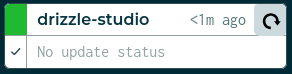 Ah.. That’s better. Green means good!