https://tripplite.eaton.com/support/BCPRO1400
I have one of these that I got for free in 2021. It came with bad batteries so I replaced them and after that it was good as new. The batteries wear out after about a few years of use.
Tripp Lite replacement batteries are part number RBC53 You can find these online for exorbitant prices. $176-$218 USD

Alternatively, you can easily create your own RBC53 compatible pack by taping together 3 UB1280 batteries with F2 terminals. There are sellers on amazon who sell UB1280 them in packs of 3. It cost about $50-$70 to buy a 3 pack. Way better deal to DIY.
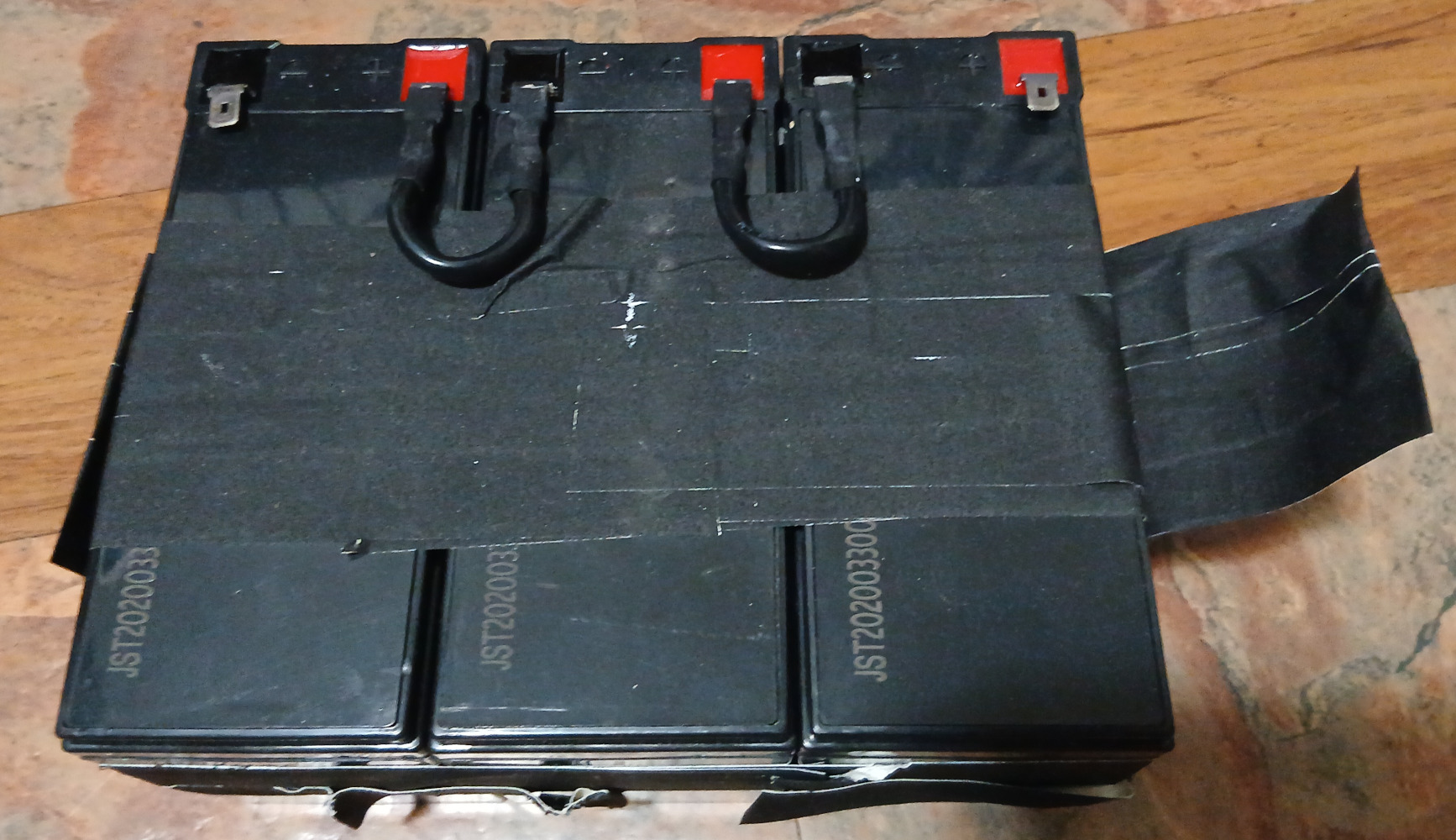
In March 2021, I bought a listing from Amazon with the following title. I can’t find the listing today.
“3 Pack Replacement for Tripp Lite BCPRO1400 Battery - Replacement UB1280 Universal Sealed Lead Acid Battery (12V, 8Ah, 8000mAh, F1 Terminal, AGM, SLA) - Includes 6 F1 to F2 Terminal Adapters”
Be sure to check your terminals. Get batteries that use the correct size. Mine use F2, and I triple checked the size using a tape measure. The tabs are 1/4” wide (6.35mm)
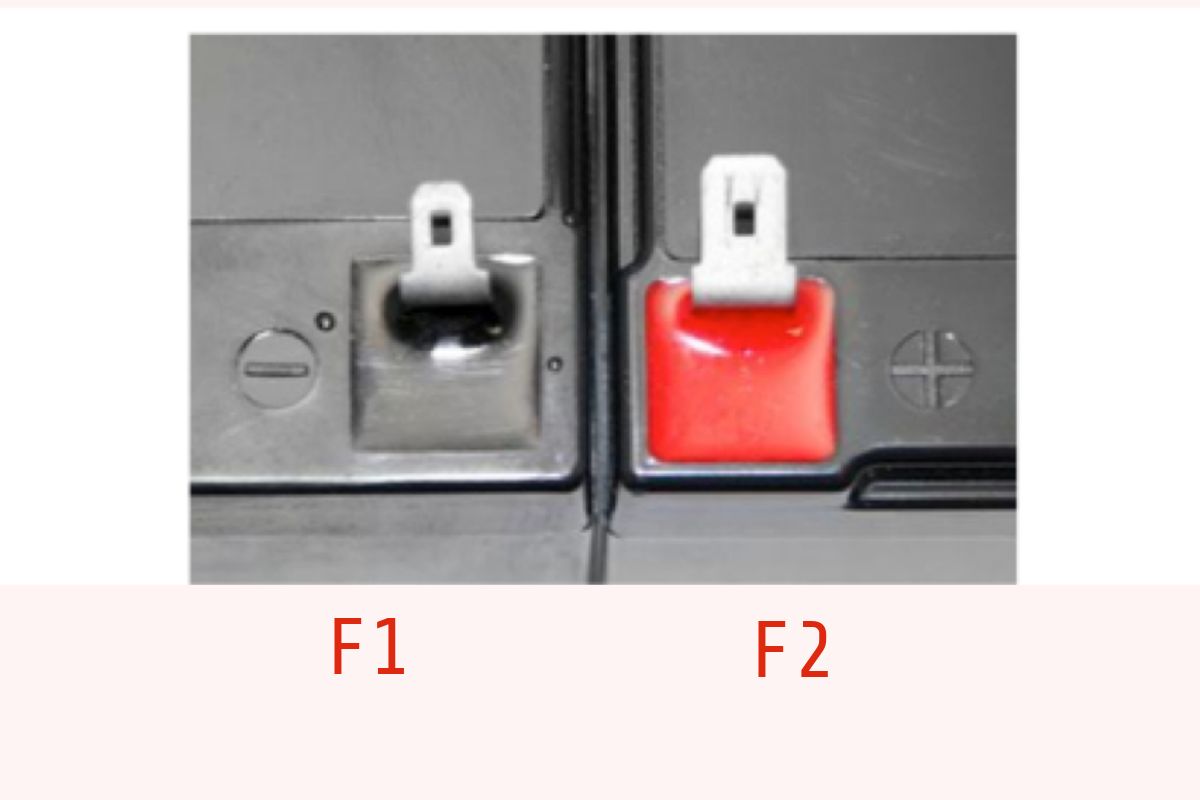
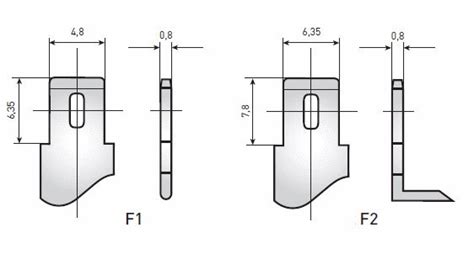
2026, time to replace the batteries again. I found a 3 pack of the same Upstart brand batteries I bought last time. These ones are advertised for lawn mowers, but it’s the same battery so we’re good.
The important parts are as follows
- 12V
- 8000mAh (8AH)
- Sealed Lead Acid (SLA) This is important— DO NOT BUY LiFePo4 or other chemistries; BCP1400 was designed for lead acid only.
I found another brand, Raion on ebay. These ones are 9AH, which is 1AH more than 8AH. (slightly higher capacity) https://www.ebay.com/itm/323991918710
Is it worth the extra $10 to get the 9AH?
I settled on a lower capacity. https://www.ebay.com/itm/223766784301 Crazy, right? I’m doing it to save a buck. My main reason for a UPS is to avoid temporary blips— interruptions of power which have been occurring a couple of times a week lately and causing my PC to crash. I don’t expect more than 30 seconds of operating time on battery, so this should do the trick. I’ll update this post as I learn more.
Got the 3 batteries in, and promptly taped them up with gaff tape and inserted them into the battery.
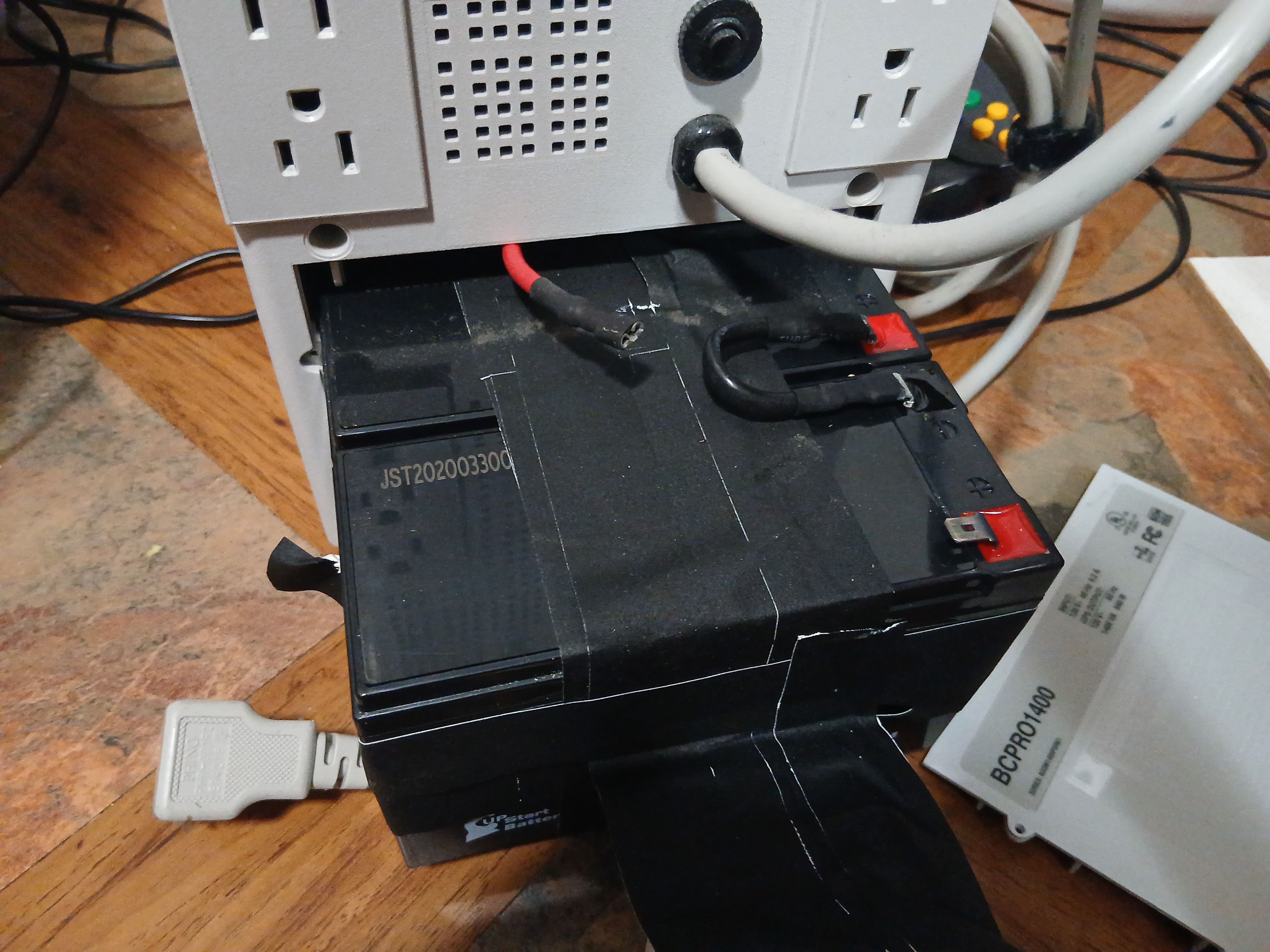
I used this photo from when I removed the last pack to match up the orientation and the polarities.
NOTE: I connected the black connector in the back first, then slid the battery pack inside. The red connector was connected last, and it did so with an energetic spark! It startled me at first, and I jumped back. Did I do something wrong? I don’t know, but I think I remember a similar situation the last time I replaced the battery pack. Is the UPS supposed to be plugged in for this step, so there is a ground? I’m not sure. Having it plugged in while servicing it seems like a bad idea, so I left it unplugged.
Being brave, I made the red wire connection a second time. Smaller spark this time, and I successfully made the connection without the house blowing up.
I slid the pack in, sealed it up, and plugged the UPS into the wall. As expected, it did it’s self test where it sounded the alarm. A few seconds later, the green sinewave LED came on, and just like that it was back into service.
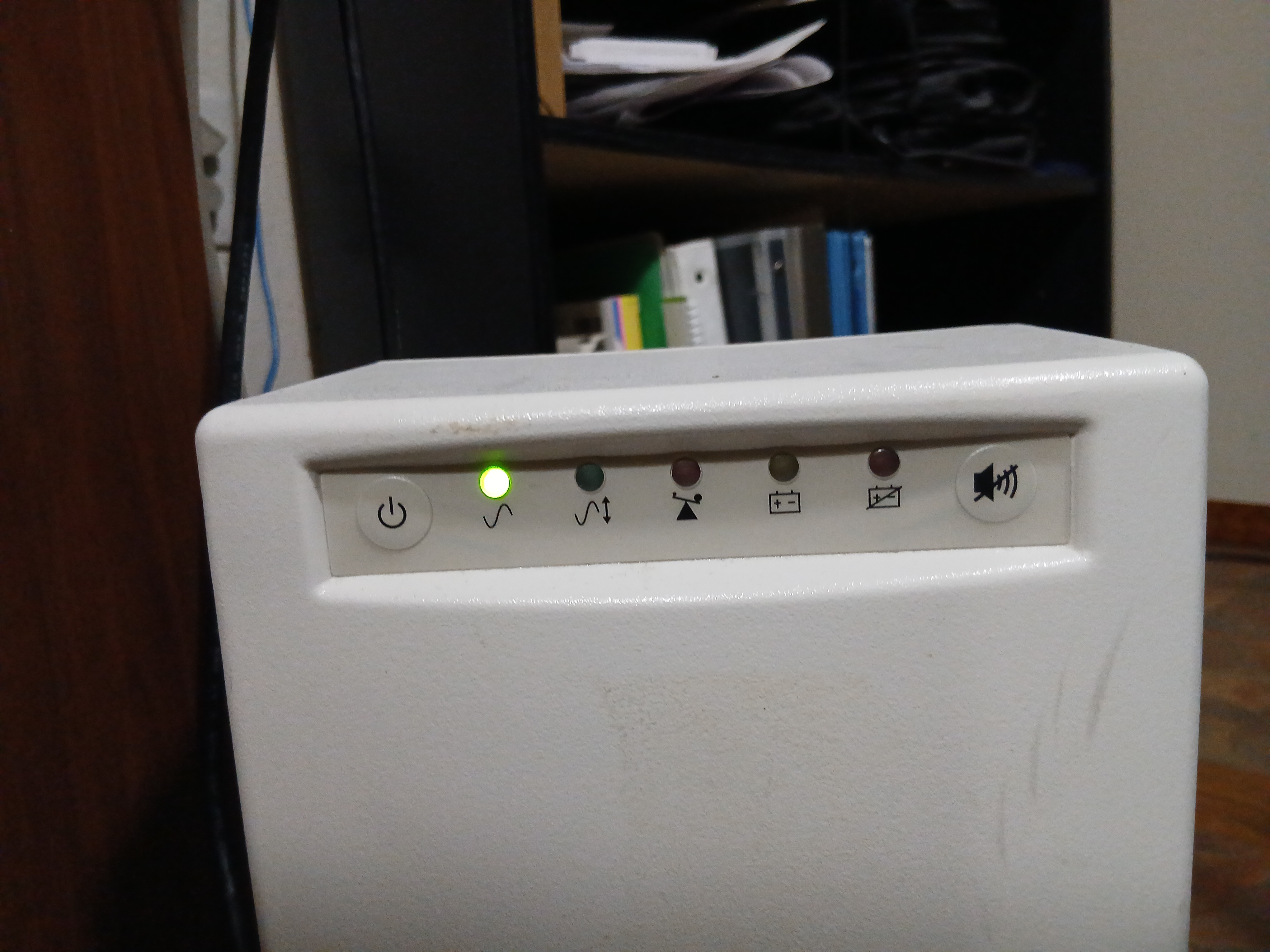
I used a sharpie to make note of the battery replacement date. 2026-03-10. We’ll see how long these Raion batteries last until they need to be replaced.
Final word of caution, lead acid batteries discharge hydrogen gas when charging. Too much bulit-up hydrogen can cause explosions, so be sure to vent your room every now and again. I don’t think it’s necessary for only 3 UB1280’s, but I think it’s interesting to know that larger use cases such as battery rooms in datacenters will employ hydrogen gas detectors to keep everyone safe.
If you’re fascinated like me and you’d like to read more about hydrogen gas sensors, here’s a case study about one such installation.
A power outage experience in production
Such good timing! It’s been 2 days since I installed the batteries and we had a complete power outage due to heavy winds! The refurbished BCPRO1400 did great at keeping my computer powered on. I thought it would be a good chance to test how long the UPS lasts under load, so I kept my Beelink SER5 MAX 6800U computer and DELL P1219H monitor powered on as I connected to my wifi hotspot and tried to browse the web.
The power was restored after about 30 minutes and the UPS lasted at least that long. I was hoping I could test it until it failed but I guess today is not the day for that. Today I learned that I have at least 30 minutes runtime.
cat /etc/nut/ups.conf 42 ✘
MODE=standalone
[tripplite]
driver = "tripplite_usb"
desc = "TRIPP-LITE BCP1400"
port = "auto"
vendorid = "09AE"
productid = "0001"
product = "TRIPP LITE UPS"
vendor = "Tripp Lite"
# bus = "003"
# device = "002"
# busport = "003"
sudo upsdrvsvcctl resync
upsdrvsvcctl status tripplite INT ✘
SVC_NAME SVC_STATE UPSNAME UPSDRV RUNNING PF_PID S_RESPONSIVE S_PID S_STATUS
nut-driver@tripplite.service enabled,active tripplite tripplite_usb N/A -3 NOT_RESPONSIVE N/A
upsc tripplite ✔
battery.charge: 89
battery.voltage: 12.94
battery.voltage.nominal: 36
device.mfr: Tripp Lite
device.model: TRIPP LITE UPS
device.type: ups
driver.debug: 0
driver.flag.allow_killpower: 0
driver.name: tripplite_usb
driver.parameter.pollinterval: 2
driver.parameter.port: auto
driver.parameter.product: TRIPP LITE UPS
driver.parameter.productid: 0001
driver.parameter.synchronous: auto
driver.parameter.vendor: Tripp Lite
driver.parameter.vendorid: 09AE
driver.state: quiet
driver.version: 2.8.4
driver.version.internal: 0.40
driver.version.usb: libusb-1.0.29 (API: 0x0100010B)
input.voltage: 0.00
input.voltage.nominal: 120
output.voltage: 114.0
ups.debug.load_banks: 0
ups.debug.V: 31 30 36 30 58 58 0d '1060XX.'
ups.delay.shutdown: 64
ups.firmware: F1049.A
ups.firmware.aux: protocol 1001
ups.mfr: Tripp Lite
ups.model: TRIPP LITE UPS
ups.power.nominal: 1400
ups.productid: 0001
ups.status: OB
ups.vendorid: 09ae
Wow! 1 hour 50 minutes into the outage, our voltage is reading 12.94V! 89% charge! This power usage is really low, I think we would have several hours of usage at this rate. I’m surprised.
upslog -m tripplite,- ✔
Network UPS Tools upslog 2.8.4 release
logging status of tripplite to stdout (30s intervals)
writepid: fopen /run/nut/upslog.pid: Permission denied
upsnotify: notify about state NOTIFY_STATE_READY_WITH_PID with libsystemd: was requested, but not running as a service unit now, will not spam more about it
upsnotify: failed to notify about state NOTIFY_STATE_READY_WITH_PID: no notification tech defined, will not spam more about it
upsnotify: logged the systemd watchdog situation once, will not spam more about it
20260312 075755 91 0.00 NA [OB] NA NA
20260312 075825 91 0.00 NA [OB] NA NA
20260312 075855 91 0.00 NA [OB] NA NA
20260312 075925 91 0.00 NA [OB] NA NA
20260312 075955 89 0.00 NA [OB] NA NA
20260312 080025 91 0.00 NA [OB] NA NA
20260312 080055 91 0.00 NA [OB] NA NA
20260312 080125 89 0.00 NA [OB] NA NA
20260312 080155 91 0.00 NA [OB] NA NA
20260312 080225 89 0.00 NA [OB] NA NA
20260312 080255 89 0.00 NA [OB] NA NA
20260312 080325 89 0.00 NA [OB] NA NA
So it seems like we are still missing some sort of systemd service that takes care of notifcations.
Ok well I’m sleepy so I’ll shut down to save the battery for later, in case we have a day-long outage or something.