WARNING
I do not recommend this PC.
If you are a developer/engineer who works with Docker or Kubernetes, or just runs programs that use lots of CPU for extended periods, or just likes watching YouTube, PROCEED WITH CAUTION. If you are running the wrong BIOS firmware, it is prone to crashes! If you are running the correct BIOS firmware, it becomes unresponsive instead of crashing! See update section below.
Specs
- AMD RYZEN 7 6800U CPU
- 24GB RAM
- 500GB NVMe SSD
- 1 HDMI interface
- 1 DP interface
- 3.5mm audio output
- RJ45 2.5G
- 1 USB type-C (front)
- 2 USB 2.0 (front)
- 2 USB 3.0 (back)
Story
I bought a Beelink SER5 MAX 6800U on Feb 24 2026. I needed it to replace my aging and faulty desktop computer which had a failed SSD, and strangely distorted audio. It would randomly crash 1-2 times a day and require hard resets. It was time, seeing as that desktop was pushing 12 years and giving me so many issues.
Why did I choose to buy this computer? It was low enough cost to pay for it with what money I had left on my credit card, and someone in the reviews said it’s Linux compatible and works great for OpenClaw. Not that I am planning on using OpenClaw, but that review told me that it was good enough for modern Linux workloads.
My mom has Amazon prime so I took advantage of how Amazon gives me free delivery because we live at the same address. It arrived at 7:45 AM and I immediately grabbed it and got to work. It came with Windows, but I immediately installed Manjaro using Ventoy.
First impressions of this machine are very good. This thing is absolutely tiny, but it has strong enough specs to where it feels powerful. Just the CPU alone scores a 20748 multithreading rating on CPU benchmark. My old desktop was 7260 and it used 84 Watts. Incredible, because this tiny computer is more performant AND uses only 28 Watts. I’m amazed by advancements in technology!
https://www.cpubenchmark.net/compare/4923vs2226/AMD-Ryzen-7-6800U-vs-Intel-i7-4790
It’s really nice to have Wi-Fi built in, rather than having to use an external antenna. It has bluetooth but I probably won’t use that for anything.
Minor gripes, the speaker jack is on the front. That seems great for headphones, but I’m using speakers so the cable is weirdly routed to the rear. There are only 4 USB type A connectors. I’ve already got them fully loaded and I need more, so I am definitely going to have to find a USB hub. Luckily my monitor has a 2 port USB 3.0 hub, so I’ll be able to scrape by for now using that.
I was happy to receive the HDMI cable that came with it. I have been wanting an extra HDMI cable for the longest time. The one included is really short and it’s perfect. I’m actually going to use a longer one I have for the computer, and use the shorty for my Nintendo64 Project.
UPDATE 2026-03-17
I regret buying this PC. Every time I run nektos/act or minikube or k3d, this system hard crashes. Black screen of death. Hard reboot. Fuck. I repeated the process while watching the output of watch -d sensors and I saw temperatures hit 80+ C. This system has a cooling problem.
I regret buying this system. If I could go back in time, I would buy another ThinkPad T14 instead of this Beelink.
It’s not just me. Read the 1 star reviews on amazon.
And check this reddit thread
https://www.reddit.com/r/BeelinkOfficial/comments/1pidanw/comment/ntcb2ik/
Apparently the issue is with the SER5 6800U, which is what I have. The redditor tinkered with it and found a better power supply that solved their issue.
Here are some more threads
- https://www.reddit.com/r/BeelinkOfficial/comments/1axtfgp/comment/nzkyrp4/
- https://www.reddit.com/r/MiniPCs/comments/17lhvmu/few_days_ago_i_found_a_solution_for_a_problem/
- https://bbs.bee-link.com/d/6102-random-crashes—reboots-under-load/3
- https://bbs.bee-link.com/d/9082-ser5-max-6800u-crashes
- https://bbs.bee-link.com/d/9252-beelink-ser5-max-random-reboot-cycle
- https://bbs.bee-link.com/d/439-ser5-random-rebooting-multiple-times-daily
- https://bbs.bee-link.com/d/9383-ser5-mini-pc-abruptly-shuts-down-often
- https://bbs.bee-link.com/d/9371-random-restarts-on-the-ser5-max-l-24500-amd-ryzen-7-6800u-processer
Here is the drivers page. Problem, there are tons! Apparently support can help with finding the correct one, if you send them a photo of the SN on the bottom of your machine. https://dr.bee-link.cn/?dir=uploads%2FSER%2FSER5-MAX-6800U-and-SER-max-6800H%2FBIOS
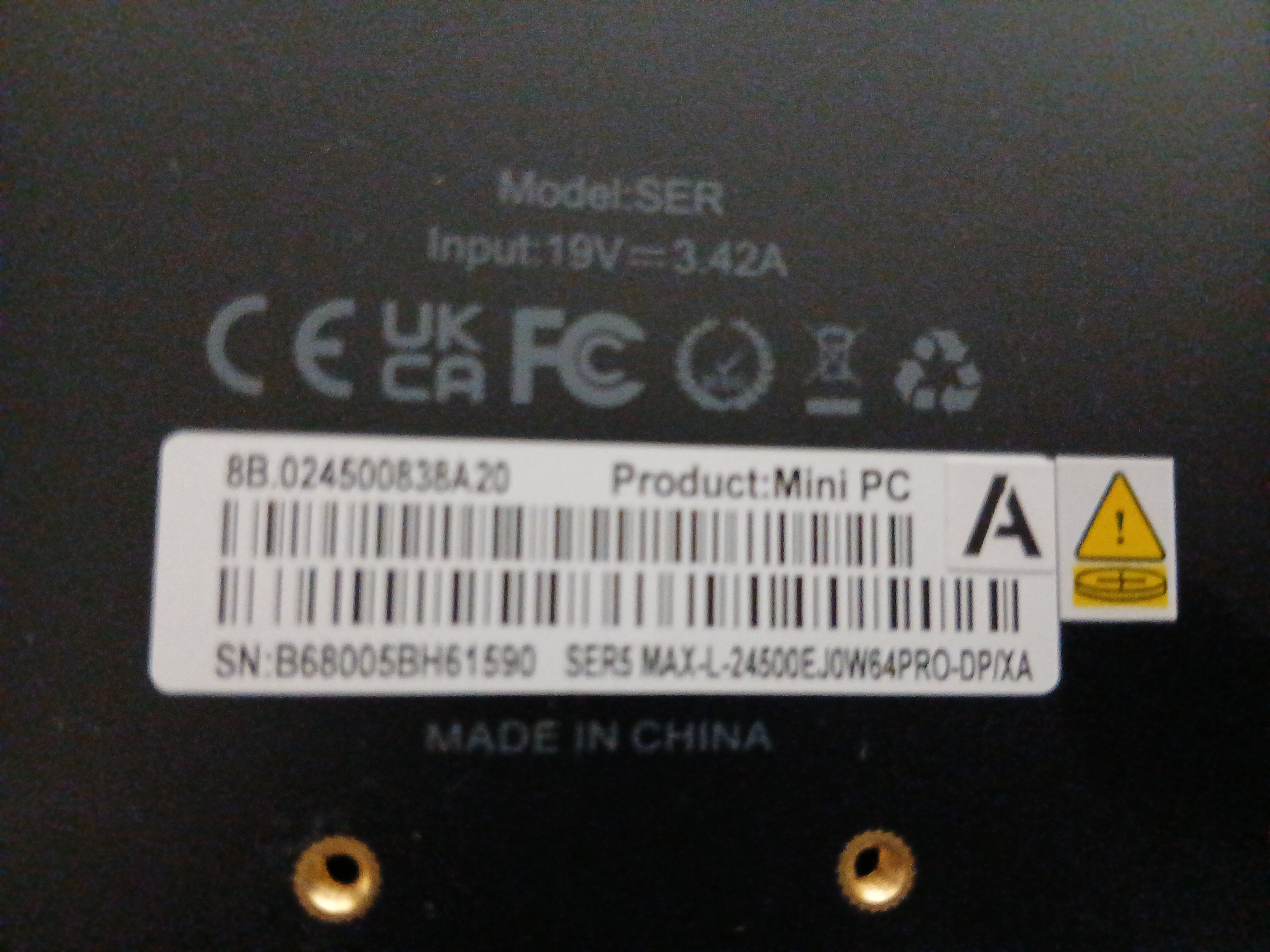
IDK what is the most up-to-date driver. Here’s what mine came with.
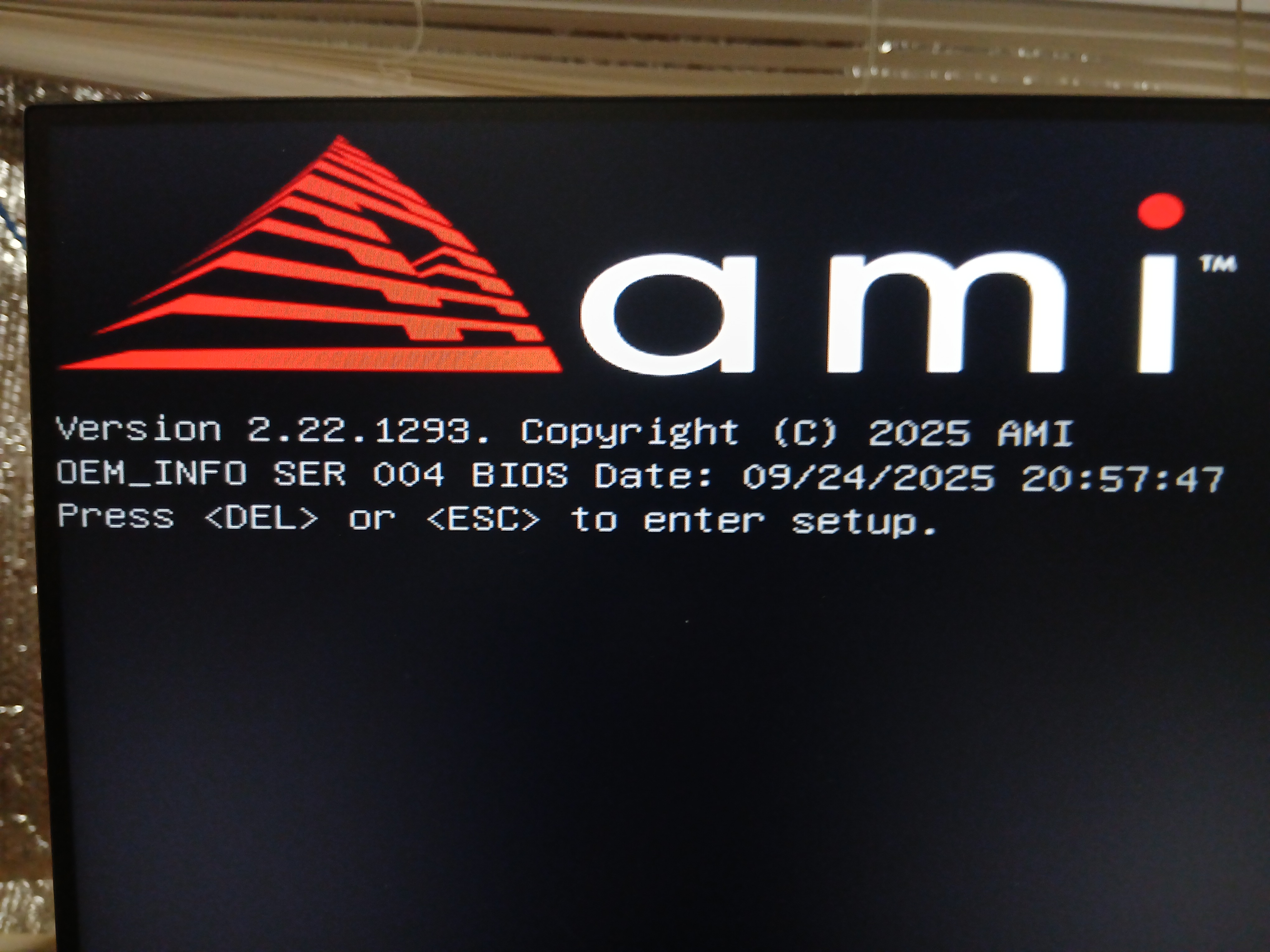
I’ve e-mailed Beelink Support. I’ll wait to hear back from them before trying any BIOS updates.
One post mentioned upgrading the power supply to this can fix the problem. https://www.amazon.ca/dp/B01MDRP3DG?ref=cm_sw_r_cp_ud_dp_0G92SG5QCGBK1P6PP2CV&social_share=cm_sw_r_cp_ud_dp_0G92SG5QCGBK1P6PP2CV
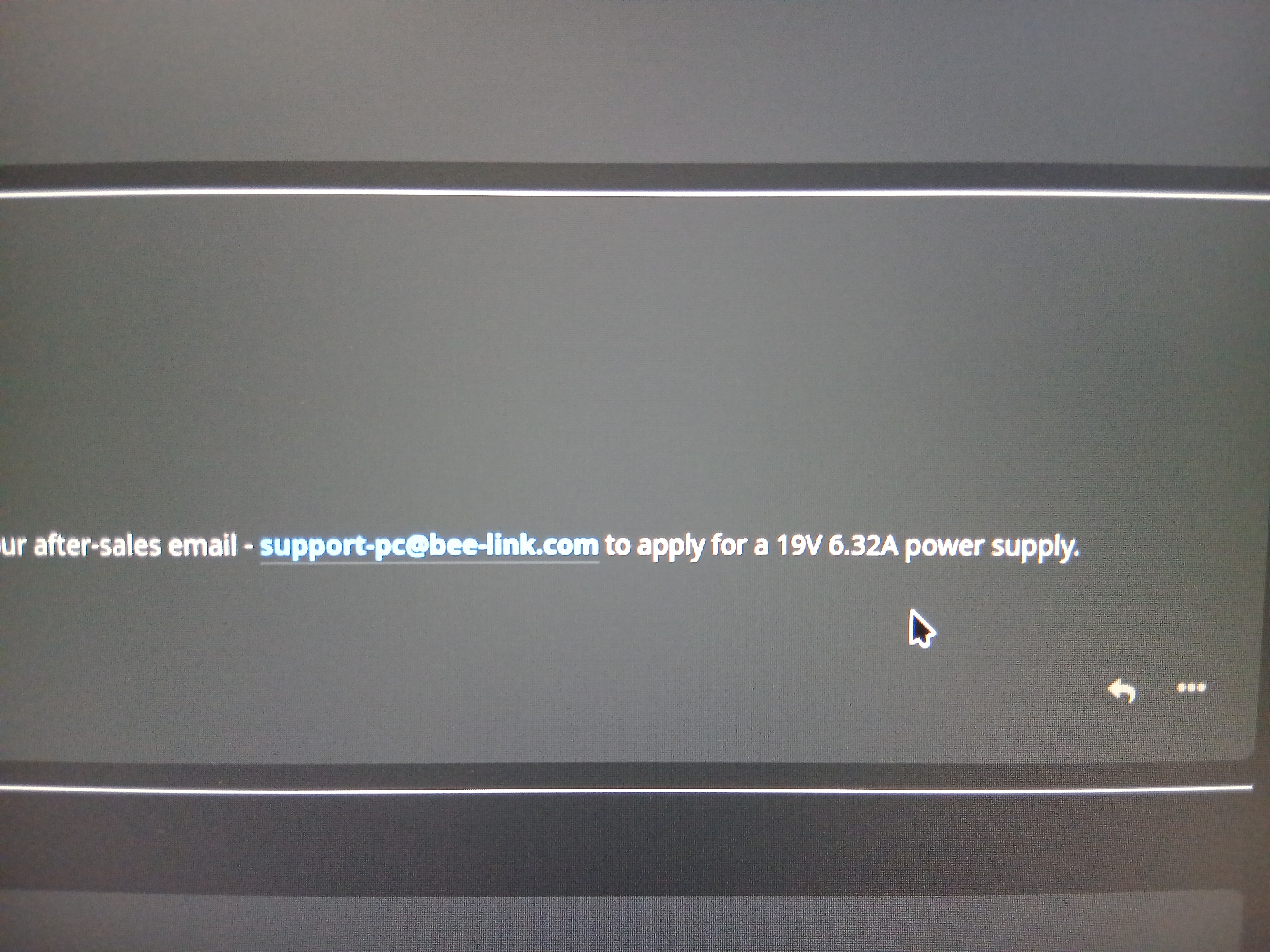
Here, Beelink mentions that they recommend 19V 6.32A. https://bbs.bee-link.com/d/6102-random-crashes—reboots-under-load/11
Problem! Mine is 19V 3.42A!!!!
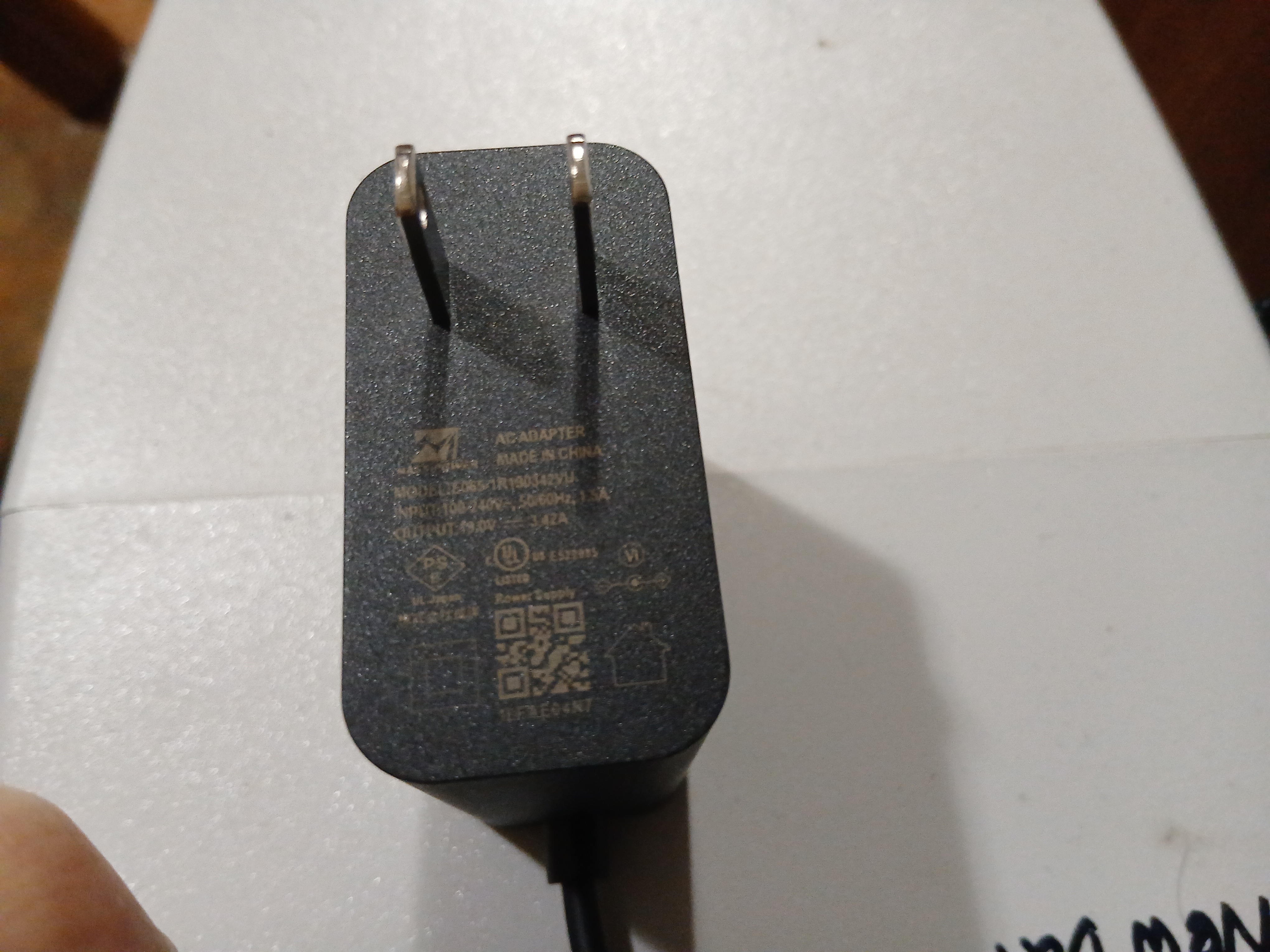
I’ve e-mailed Beelink support. I hope they can make it right.
This is definitely a widespread problem that affects all of their units of a certain model number, but I think it’s only subset of users who are affected— people who push their machines! For me, I see the reboots when I spin up too many docker containers, or compile software. For casual web browsing users, they may never reach the condition where the power spike happens and the machine shuts down.
2026-03-18
Beelink support got back to me. They said I need to downgrade my BIOS to the original version. That seems crazy to me, but I did it.
They sent a docx document, which I promptly converted to PDF using a free online service, so I could actually view it on Linux without seeing a bunch of formatting glitches.
Here is the BIOS files they sent me. (Don’t run this unless you really know what you’re doing.)
Transclude of SER50001.zip
The flash process was easier than stated in the tutorial. I copied the files to a USB drive and while I was looking for the instructions on my phone, the process just started on it’s own.
By the way, I didn’t copy the files using Windows like the tutoral said. I don’t run Windows, so I had to come up with an alternate way. At first I was planning on Windows 10 in Virtualbox, but I ran into issues with USB passthrough so I said forget it. I formatted the 16GB USB drive using formatusb on MX Linux, then I put the USB drive into my Manjaro system where I copied the contents of the zip file. It worked fine. I probably could have formatted from Manjaro but it was more convenient on MX because I already knew of that simple USB formatter program.
It was a bit scary reading the text, “Erasing Boot Block.” In case anything went wrong, I was not worried. This is why we make backups! (shoutout restic)
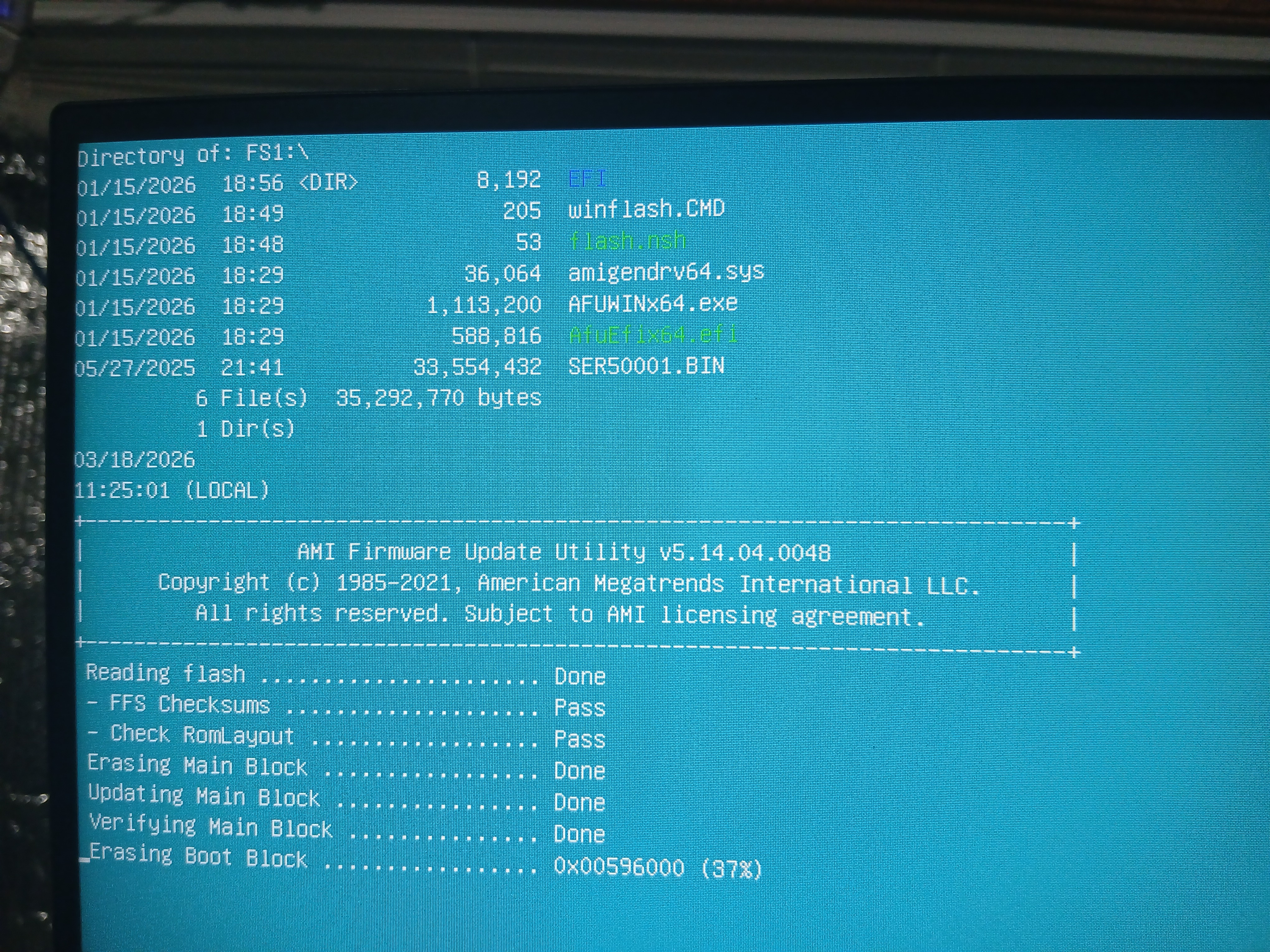 This took about 10 minutes then Manjaro booted right back up.
Here is the BIOS version before the flash.
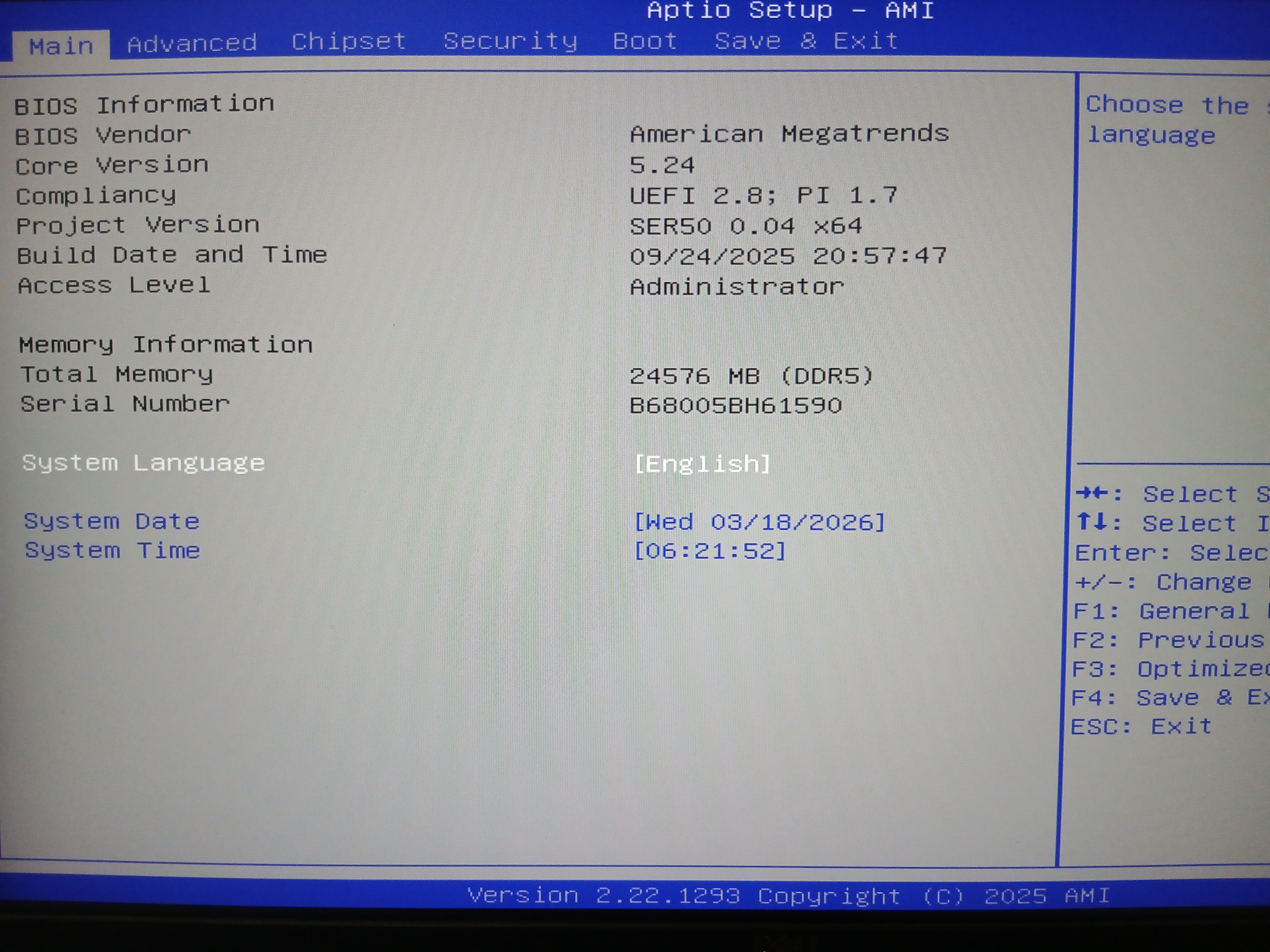
Here is after.
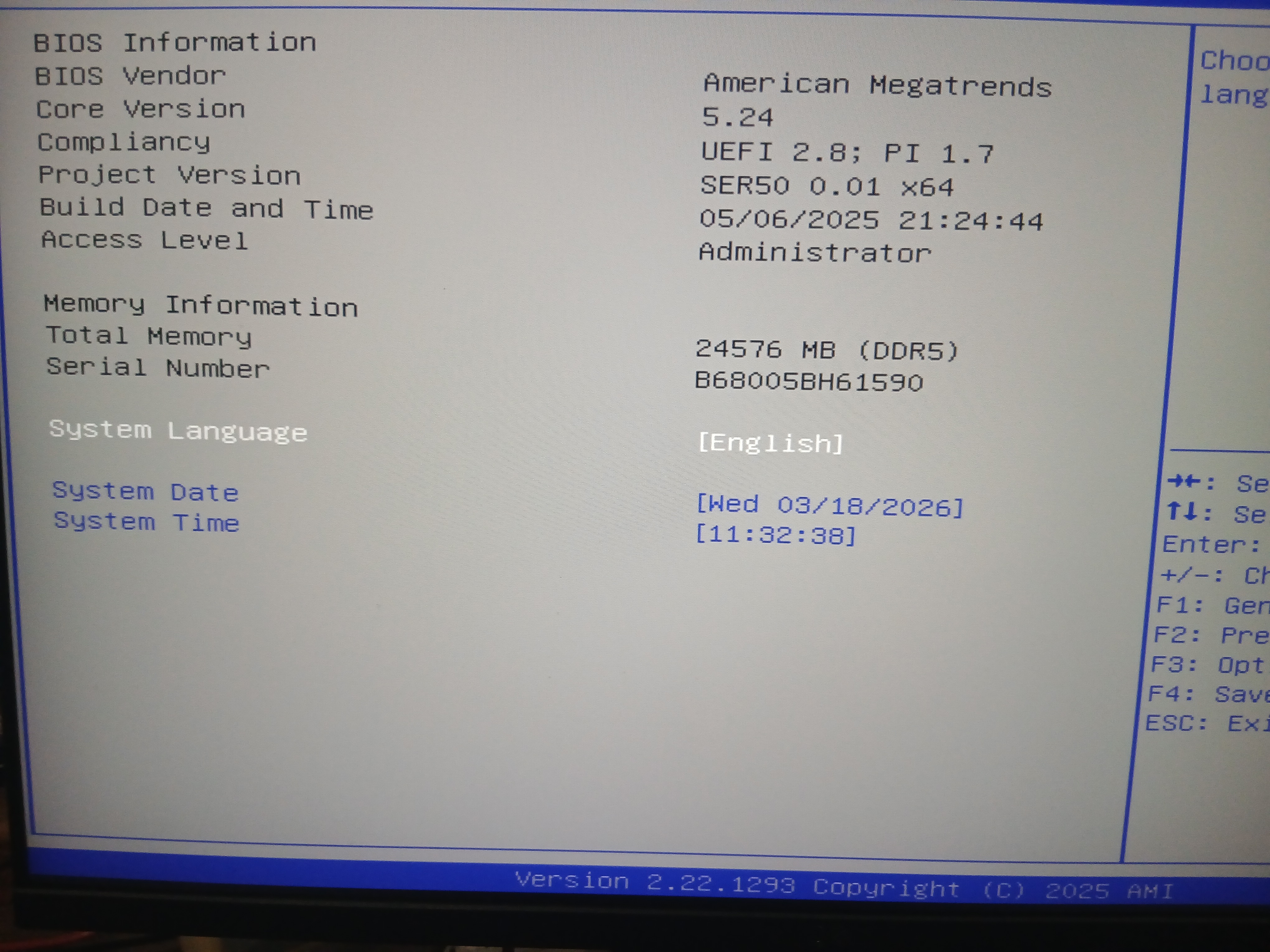
Again, it’s crazy that they had me switch to an earlier build. Is this really the best way forward? I would think that the later build had all sorts of important optimizations, but it’s what they suggested so I’m going with it. I need a stable system that doesn’t crash every time I try to compile software or run a docker compose project, so we’ll run it like this for a bit and report back.
I’m a bit skeptical that they did not offer to send me a power brick with higher amperage, since a bunch of redditors said that they fixed their issues by switching to a 19V 6.32A wall wort. Is the BIOS rollback a workaround so Beelink doesn’t have to spend money? Would a wall wort with the later BIOS build solve the problem and allow for higher performance, but hurt their bottom line? IDK. We’ll see.
Time will tell.
2026-04-11
This thing has been extremely reliable since downgrading the BIOS firmware. I’ve been running k8s workloads locally which can really take a lot of resources and bog the system down, but I haven’t had a single crash. There have been a couple hangs during high load, but they last only a few minutes and then my system is back to normal. I can recall this happening twice since the BIOS update, but hangs like that are normal for the extreme level of load I put on my computer. When that has happened, I just walk away for 5 minutes and after that, the computer is back to normal.
Wi-Fi
I live in an ADU in my parent’s back yard, and I connect to their Starlink router via Wi-Fi. Because of the distance and a few walls in the way, I occasionally have issues with Wi-Fi connectivity. When this happens, it’s annoying, because I can’t even watch a 160p Twitch stream without constant buffering. I didn’t have this issue on my thinkpads, so I figure it’s just not the best wi-fi chip.
I wanted to get a better signal, so I bought a Deal4GO AR9271 802.11n 150Mbps 2.4GHz Wireless USB WiFi Adapter and taped it to my second monitor up as high as I could reach with a USB extender cable. My thinking is that if one isn’t great, why not add a second and have them work together?
Measured by the nifty CLI program glances, I see
wlp3s0 at -64.0 dBm (the built-in wi-fi)
wlp4s0f4u3 at -61.0 dBm (the external USB wi-fi)
So the aftermarket Wi-Fi that I added has a signal about 3 dBm stronger, which is cool. It makes sense because it’s higher up, which is one drawback I see of the SER5— it’s meant to sit on a desk, and it doesn’t get that wi-fi antenna elevation that laptops get. (antennas are often mounted in the lid.)
I didn’t think to check before, but just now I’m comparing my two thinkpad laptops. Those are separated across the room, and were showing -73.0 dBm and -73.0 dBm respectively.
I have a Thinkcentre that powers my uptime kuma dashboard and it’s wlan0 reads -61 dBm. That one has the best advantage because it’s up on a shelf, higher than all other devices.
So the Beelink SER5 has a slightly stronger signal, which is interesting. And since installing a second Wi-Fi adapter, I haven’t had the livestream dropouts like I experienced prior. So it really feels like 2 wifi adapters is better than 1!
I’ll update again when I think of more to say.
2026-04-30
I just installed Manjaro cinnamon and I realized that the ethernet adapter isn’t detected by the kernel. I had to install r8125-dkms (forum thread where I found this info)
the commands I had to run were as follows
  lspci -k | grep -A3 Ethernet

  02:00.0 Ethernet controller: Realtek Semiconductor Co., Ltd. RTL8125 2.5GbE Controller (rev 0c)
	DeviceName: Onboard LAN Brodcom
	Subsystem: Realtek Semiconductor Co., Ltd. Device 0123
	Kernel modules: r8169 # <-- this is wrong!


  sudo modprobe r8125
  sudo pacman -S linux612-headers
  sudo modprobe r8125
  sudo dkms autoinstall
  dkms status
  sudo modprobe r8125

  lspci -k | grep -A3 Ethernet
  02:00.0 Ethernet controller: Realtek Semiconductor Co., Ltd. RTL8125 2.5GbE Controller (rev 0c)
	DeviceName: Onboard LAN Brodcom
	Subsystem: Realtek Semiconductor Co., Ltd. Device 0123
	Kernel driver in use: r8125 # <-- success!

  ip a # finally we see eno1 ethernet adapter!

  ip a s eno1
6: eno1: <BROADCAST,MULTICAST,UP,LOWER_UP> mtu 1500 qdisc mq state UP group default qlen 1000
    link/ether 78:55:36:06:83:a2 brd ff:ff:ff:ff:ff:ff
    altname enp2s0
    altname enx7855360683a2
    inet 192.168.142.9/24 brd 192.168.142.255 scope global noprefixroute eno1
       valid_lft forever preferred_lft forever
    inet6 fe80::7a55:36ff:fe06:83a2/64 scope link proto kernel_ll
       valid_lft forever preferred_lft forever
2026-06-16
I regret buying this computer. I’m having to hard reset about once a day, because the system routinely becomes unresponsive. This has been going on for months. It usually happens while I’m watching YouTube on Firefox. I’ve tried all flavors of Manjaro, and all of them have stability issues on this hardware.
- Manjaro KDE
- Manjaro Cinnamon
- Manjaro XFCE
Is it just a Manjaro issue? The other day I tried installing Cachyos, but there were show-stopping errors that prevented booting into the USB stick. Is it a Firefox issue? IDK, but I’m very annoyed.
Also why does this PC take so long to boot up? It’s like a 3-5 minute wait. The boot process takes so long that my monitor times out because it isn’t receiving any signal for too long.
Ugh. If I could go back in time, I’d slap myself in the face and buy another T series Thinkpad. Those are vastly faster, more stable, and have so many quality of life improvements that the Beelink SER5 lacks. They cost less and perform better which is just so bizarre.
Heck, I just re-installed Manjaro XFCE and on day 2, it froze up while watching a podcast. If I had money for a replacement I would be listing it on eBay TODAY. This PC has wasted so much of my time, interrupted workflows, lost work.. This PC is not good and I cannot recommend it.